Selling covered calls and cash-secured puts on Robinhood is straightforward once you know where to look. The tricky part is that the option to sell options isn't labeled "Sell" — it's tucked inside the Options Strategy Builder, which can be easy to miss if you've never used it before. This guide walks you through every screen tap, from the stock page to the order confirmation, using real screenshots from a live Robinhood account.
📋 What You'll Need Before You Start
You need to own at least 100 shares of the stock you want to sell calls on. Each contract represents 100 shares, so 2 contracts requires 200 shares.
You need enough cash to buy 100 shares at the strike price. If you sell a put at the $34 strike, Robinhood holds $3,400 as collateral until the position closes.
You'll need options trading enabled on your account. Go to Account Settings and apply — approval is usually quick.
Open the Stock Page and Tap "Trade"
Search for the stock you want to trade options on. In this example, we're using PL (Planet Labs), trading at around $34.60.
On the stock page you'll see the price chart, daily change, and volume. At the bottom of the screen there's a large green Trade button — tap it.
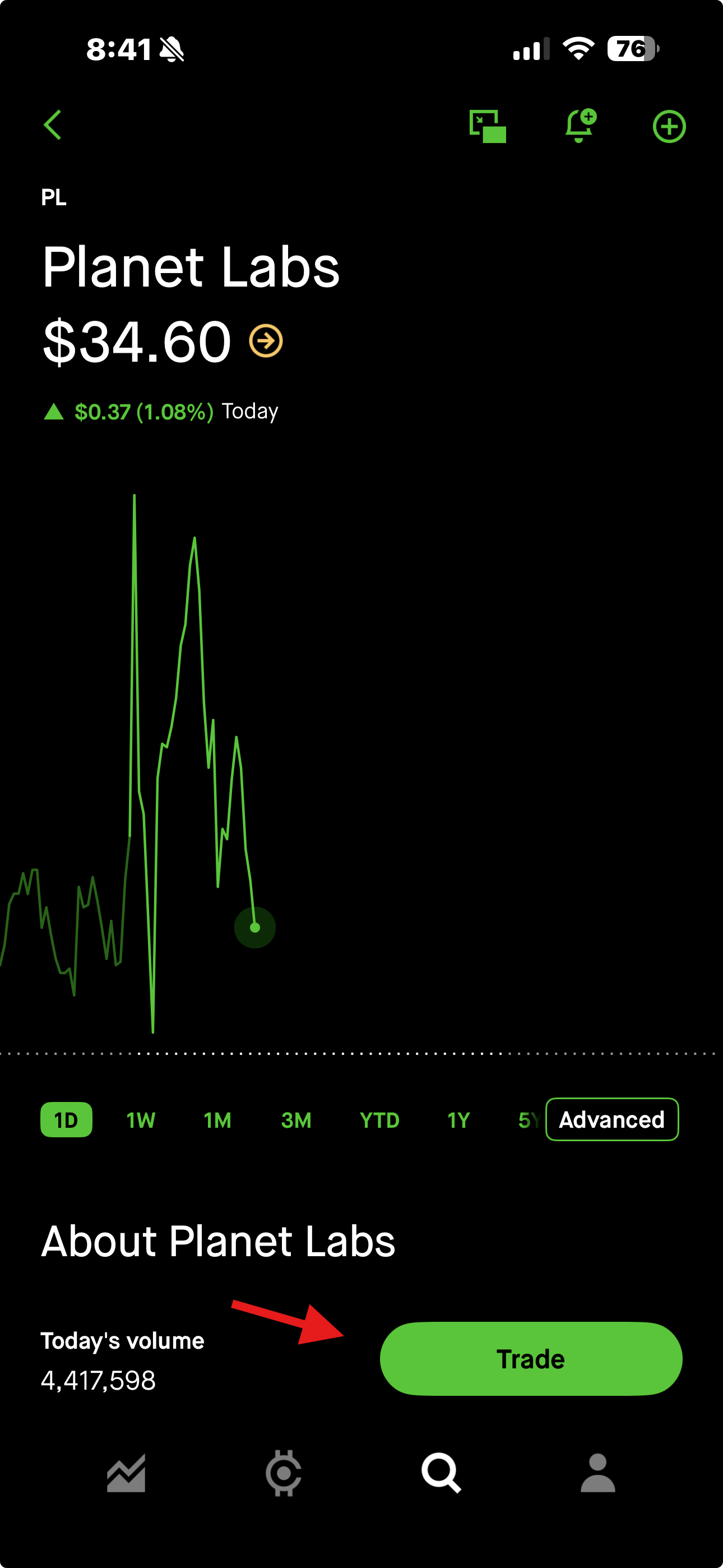
The green "Trade" button at the bottom of the stock page
Select "Trade Options"
After tapping Trade, a menu pops up with several choices: Trade options, Ladder, Short, and Buy.
Tap Trade options. This is the entry point for both covered calls and cash-secured puts — even though you're selling, you won't find it under "Short" or "Sell."
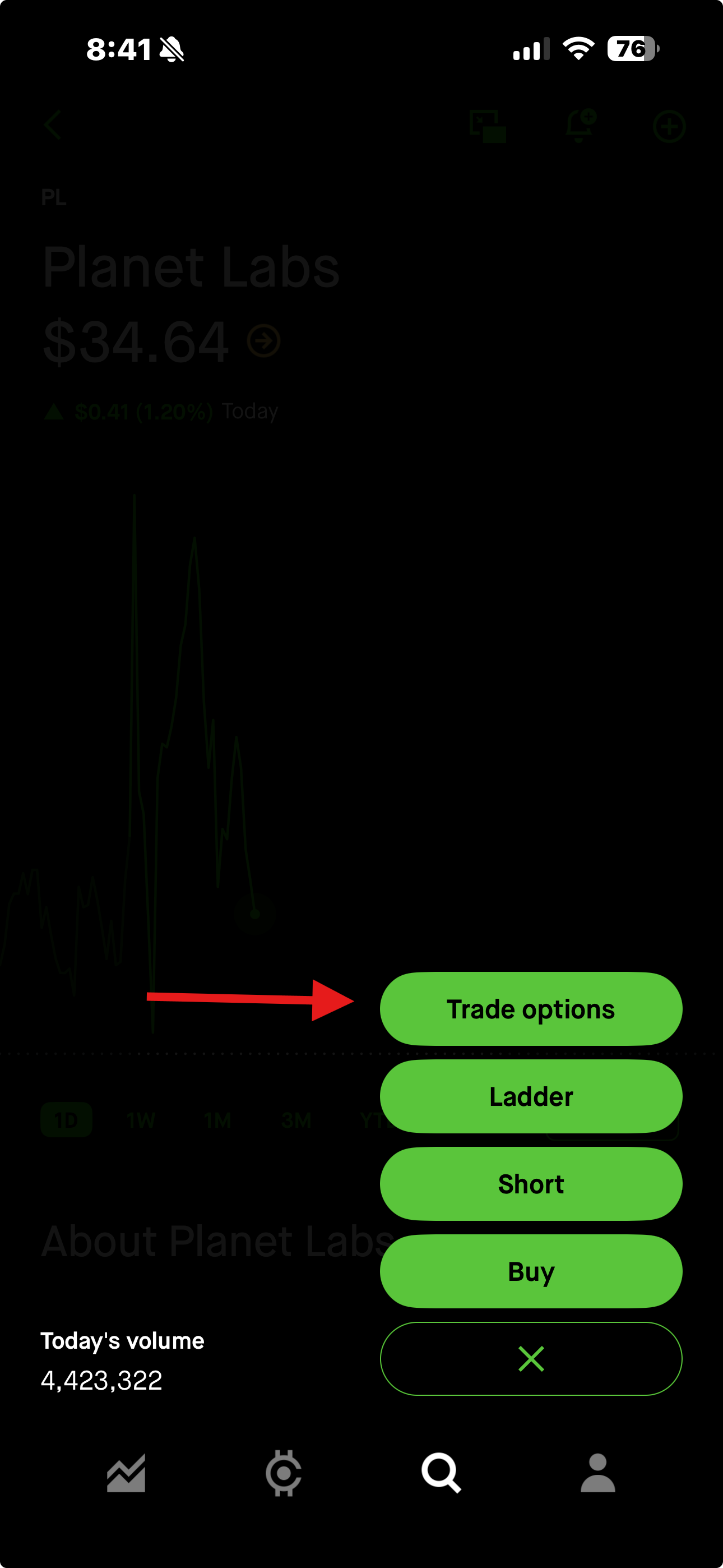
Tap "Trade options" — not Short or Sell
The Options Strategy Builder is where Robinhood organizes all of its options strategies. At the top you'll see the current share price and a row of date tabs. Below that, under Single Leg, you'll see four strategy cards with profit/loss diagrams: Long Call, Covered Call, Long Put, and Cash-Secured Put. From here the steps diverge depending on which strategy you want.
Tap "Covered Call" in the Strategy Builder
In the Options Strategy Builder, tap the Covered Call card in the upper-right corner of the Single Leg section. It's labeled "Bullish" underneath.
This tells Robinhood you already own the underlying shares and want to sell a call against them — not buy a naked call.
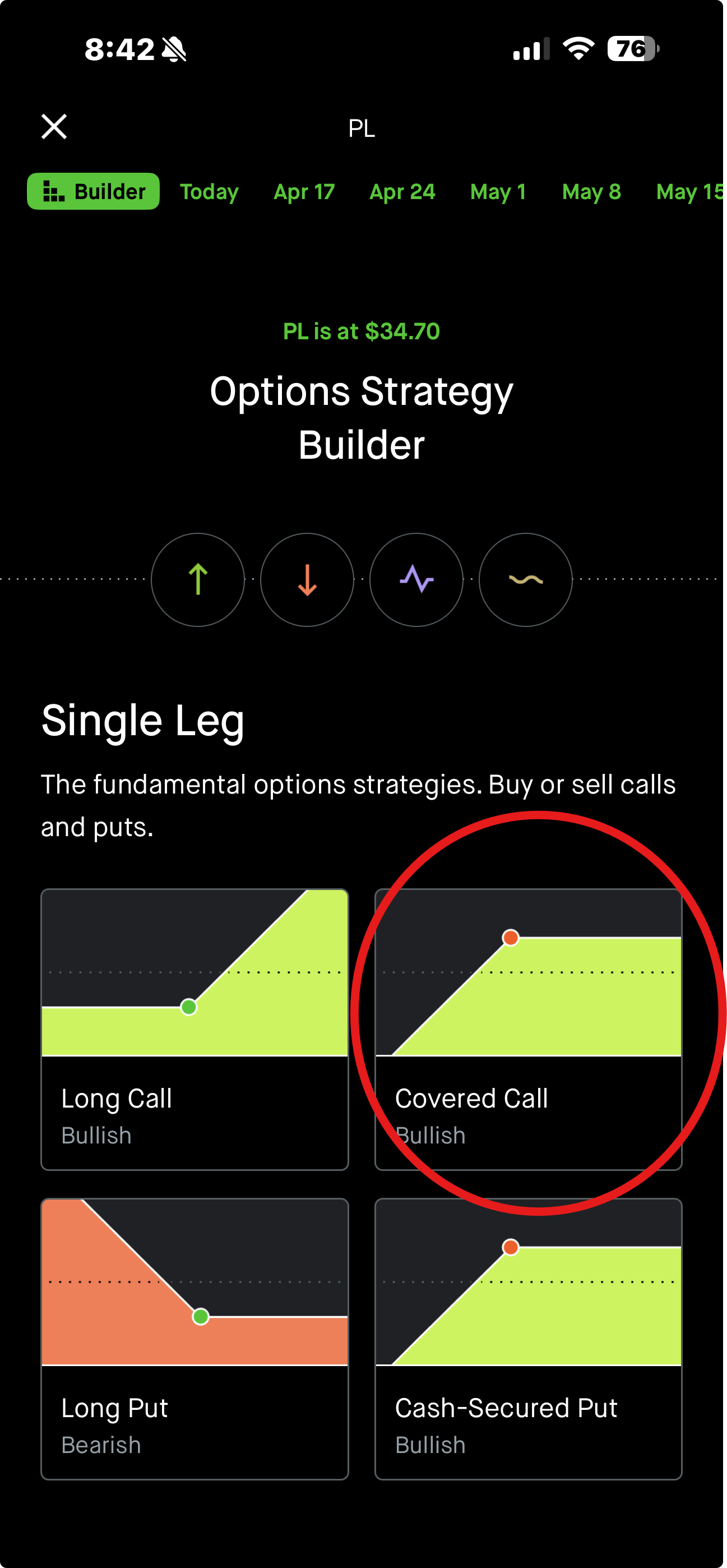
Tap "Covered Call" (upper-right of Single Leg)
Pick Your Expiration Date and Strike Price
Date tabs across the top let you choose your expiration — Today, Apr 17, Apr 24, May 1, and so on. Farther-out dates offer higher premiums but tie up your shares longer.
The strike list is split by a green bar showing the current Share price ($34.76 in this example).
Tap the strike price you want to sell.
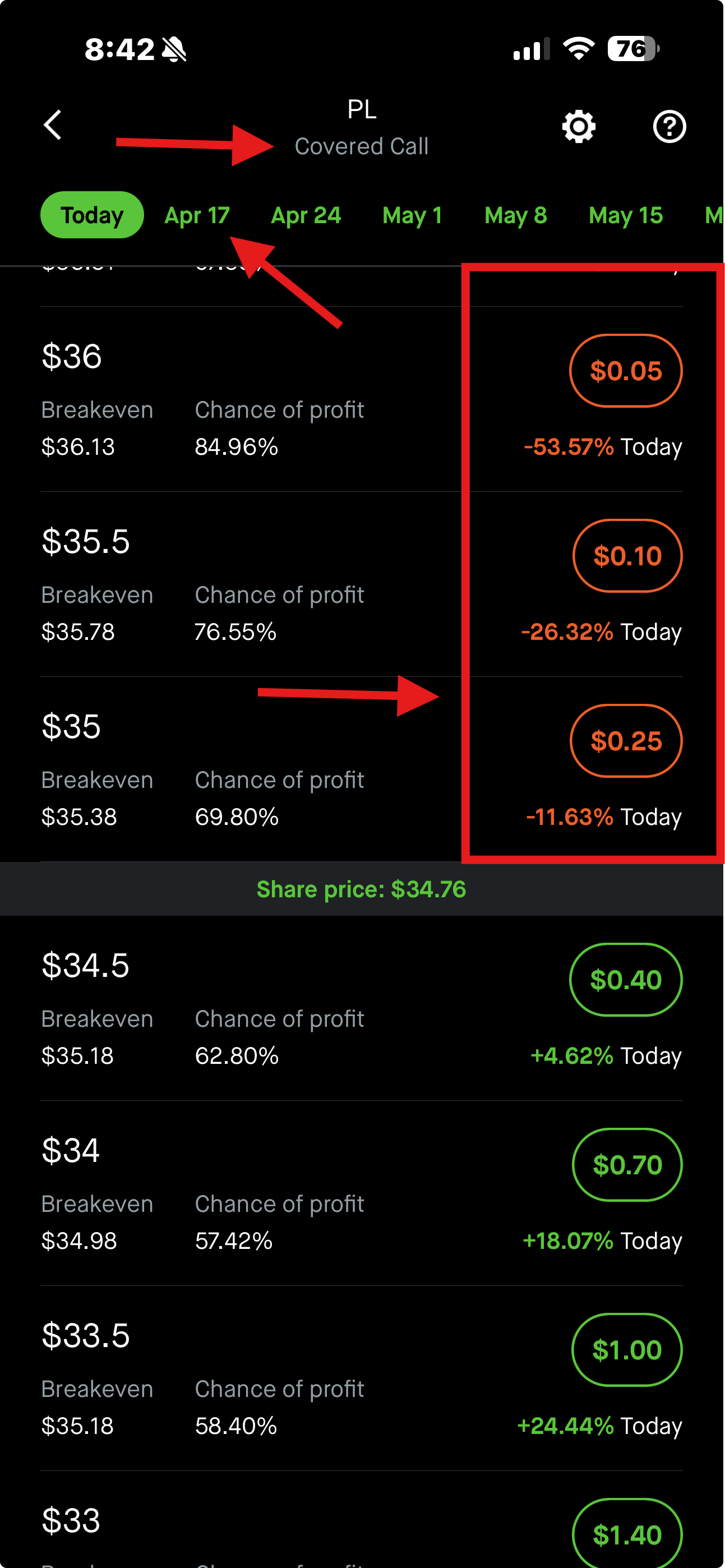
OTM strikes (above the green bar) are the most common covered call target
Review and Confirm Your Order
After tapping a strike price, the order confirmation screen appears. Here's what to look at:
When everything looks right, tap the green Review button, then confirm on the next screen to submit your order.
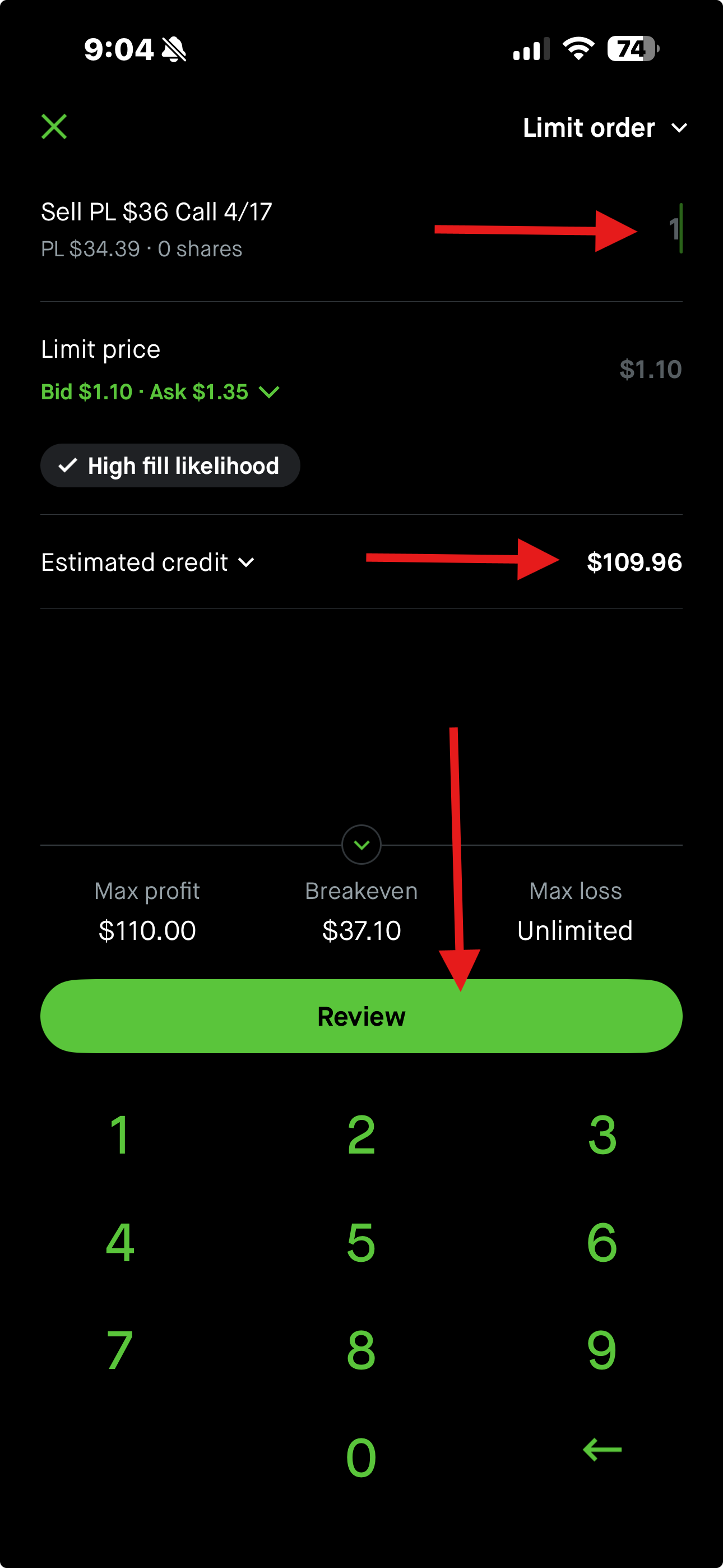
Review the estimated credit and contract details before confirming
Tap "Cash-Secured Put" in the Strategy Builder
Back in the Options Strategy Builder, tap the Cash-Secured Put card in the lower-right corner of the Single Leg section. It's also labeled "Bullish."
Robinhood will use your available cash as collateral for the put you're selling — no shares needed to get started.
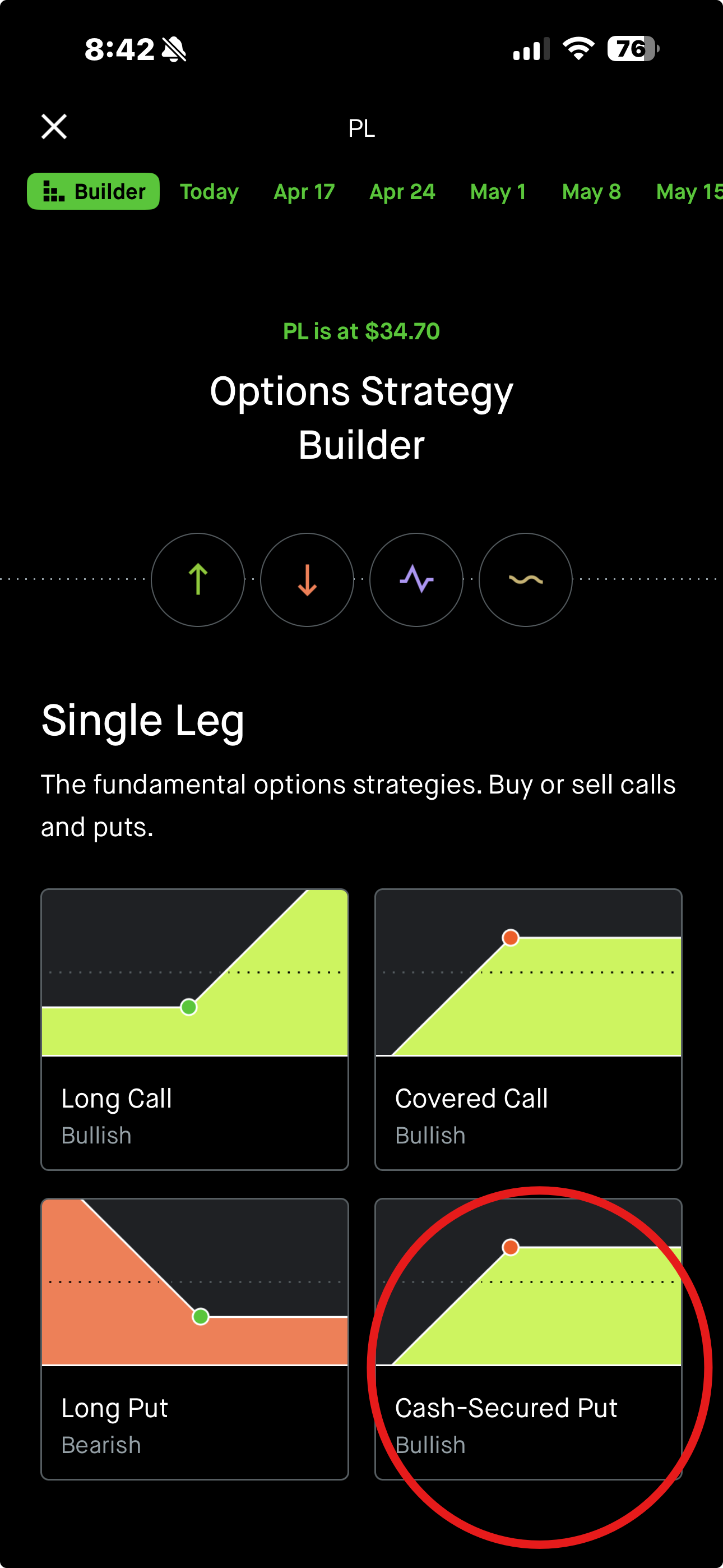
Tap "Cash-Secured Put" (lower-right of Single Leg)
Pick Your Expiration Date and Strike Price
The layout is the same as the covered call screen — date tabs across the top, a green Share price divider in the middle ($34.64 in this example). But the logic is flipped.
For cash-secured puts, you're looking at the opposite side of the list:
Tap the strike you want, then review and confirm just like the covered call — same order screen layout showing the credit, breakeven, and max loss.
For a CSP, max loss = (strike − premium) × 100, representing the scenario where the stock falls to $0 and you buy the shares at strike. In practice, that's your cost basis on the shares.
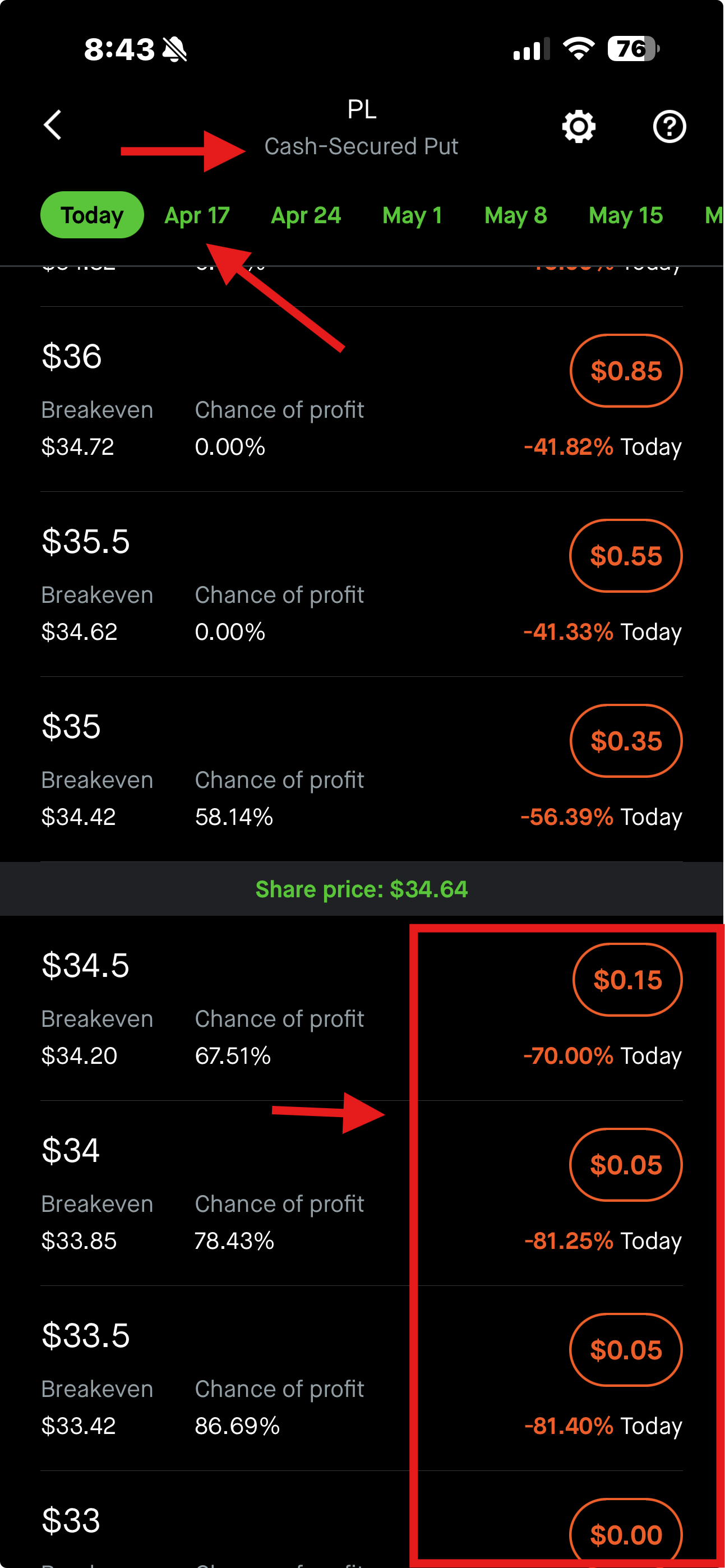
OTM strikes (below the green bar) are the most common CSP target
💡 Quick Tips for Choosing Strikes and Expirations
Robinhood calculates this for every strike. Many sellers target the 65–80% range as a balance between decent premium and a high probability of keeping it.
Options lose value as they approach expiration — this accelerates in the final week. Weekly options (7 days out) let you collect more frequently; monthlies (30–45 days) pay more per trade but tie up capital longer.
For covered calls, breakeven = strike + premium. For cash-secured puts, breakeven = strike − premium. Make sure you'd be comfortable owning the stock at that level.
Sell a CSP → get assigned (buy the shares) → sell covered calls on those shares → shares get called away → sell CSPs again. This cycle is called the wheel and is a popular way to generate recurring income on stocks you're happy to own long-term.